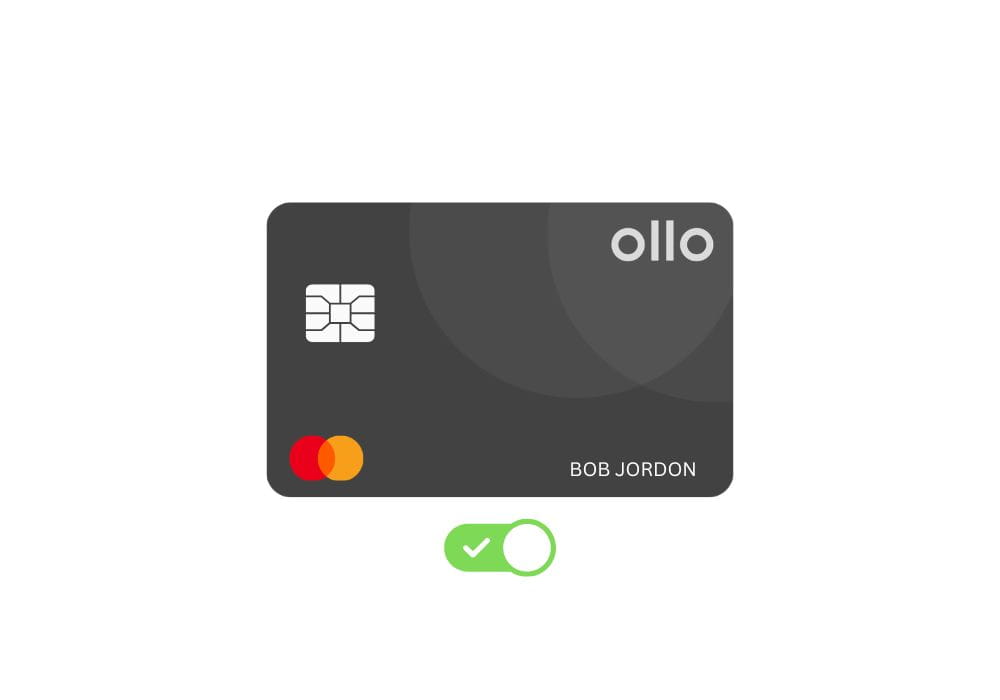
You want to use your Ollo card at checkout as soon as it lands on your doorstep, right? But it may not be possible without activation.
Activation is the code that must be cracked by the authentic user, the person who purchased the card.
So, in this article, you’ll find the activation guide and some easy fixes that you might encounter on the way.
How to Activate Your Ollo Card
It’s as simple as you may think. You need to have your card details in place before initiating the activation process. There are three ways to do that. So let’s get started.
Via Online
This is the most common way people prefer, and it’s the one Ollo recommends.
- Open your browser and head over to Ollo’s Activate Card Page. It’s the official page that Ollo provides.
- Next, enter your information, such as your Last Name, Date of Birth, Last 4 digits of SSN, and your card details.
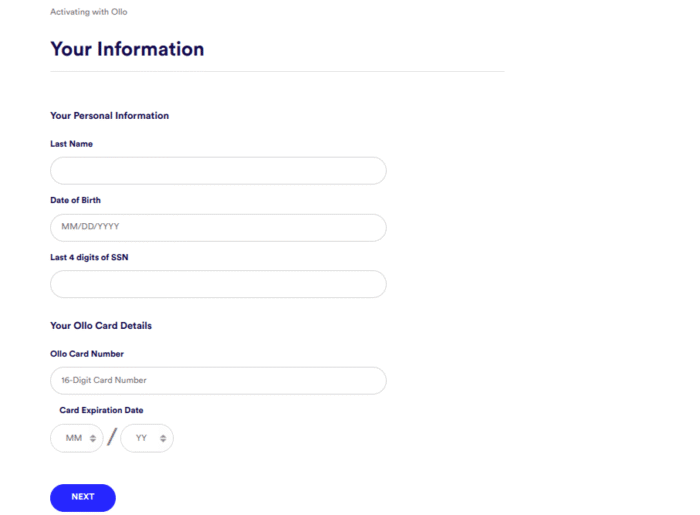
- Double-check everything before moving to the next step and hitting Next. Remember, a single typo can throw an error.
- After activation, you’ll be asked to create your username and password to manage your account. Just follow the prompts, and you’re done.
- Now you can use your card anywhere online or in-store.
By Phone
Don’t have time to land on the webpage and enter your credentials? Don’t worry, you can make a phone call and activate your call.
It’s a straightforward process that doesn’t require online access or the Internet, as all you need to do is find the toll-free number located on the back of your card.
Anyway, 1-833-845-2200 is their main support line available 24/7, Monday-Sunday.
And you’re outside the U.S, call 1-412-790-9399 anytime during the day.
So, when you call, you’ve to answer some security questions and provide your card details.
The automated payment system will take care of the rest; you don’t need to talk to a representative unless you encounter any issues.
Through the Mobile App
Nothing beats the luxury of managing tasks on a mobile while lying on a couch. Ollo lets you confirm your card in a mobile app.
All you need to do is download Ollo’s official app from the App Store or Play Store and install it on your phone. You can search for “Ollo Credit Card” on your supported store and download it.
Once you’ve installed it, access your account using the same credentials you created during registration. Or you can create a new account.
Next, navigate to the home screen and find the option to activate your credit card linked to your account.
Unlike a phone call, the app lets you manage payments, check your balance, transaction history, and more.
Why You Need to Activate Your Ollo Card
Activation is a crucial process that a cardholder goes through to protect their card from the unknown. In short, it’s a way to tell a credit union that the right person received the card.
So, in case your card is lost or stolen in the mail, or somebody picks it up, they won’t be able to use it without your personal details. Sounds good?
So, until you activate your card using your details, such as SSN, last name, and date of birth, it won’t be ready to use anywhere.
Not only can you not spend its cash if not confirmed, but also not see FICO score, view transactions, or available credit, due date, and more.
So don’t let it sit on your wallet for a week. Confirm it the day it arrives.
Why Can’t I Activate My Ollo Card?
It can be quite frustrating when activation doesn’t work or throws an error. These could be the handful of reasons why it may happen.
Incorrect Information
This could be the primary reason why it didn’t work. You must enter your last name, SSN, date of birth, and card details without any typos. Even a single mismatch can throw an error.
Website Technical Issue
Not cleaning up the browser cache for so long can slow down websites. Therefore, you must clear your cache and cookies once in a while for a better browser experience.
You can switch over to a different browser or open a site in incognito mode to check if it’s working well.
Your Account Needs Verification
In some cases, Ollo may request additional identity checks before completing the activation process. So if you see a message like this, give customer support a call.
They can verify your identity, resolve any issues, and help you complete the activation manually if needed.
Frequently Asked Questions
No, you can’t use it for purchases or other spending until you activate it. You’ll see an error when using it at checkout.
It’s the official Ollo page to activate cards. You can head to https://secure.ollocard.com/link/Activate/Activate and follow the prompts. Ensure you see the “HTTPS” and the “Ollocard.com” in the URL for security.
It usually takes less than 5 minutes to activate through Online or by phone. Once you see the confirmation message, your card will be ready to use on the spot.
In some cases, it’s possible that it couldn’t make its way to you. In this case, reach out to Ollo support by calling 1-833-845-2200 and ask them why your card didn’t arrive. They’ll investigate the issue or give a replacement.
No, and why do you want to confirm it without it? Your SSN is your identity that keeps your account secure. If your account could be activated without an SSN, then anybody could confirm your card and use your credit. So it’s a must to enter the last four digits of your SSN.
Wrap Up
That’s how you can confirm your Ollo card when it arrives. There are a host of methods to do that – Website, app, and Phone.
Website is one of the most secure and convenient methods that doesn’t require you to access your Ollo account. However, the app lets you manage your account on the go.
Anyway, both methods need the Internet, which can cause trouble if your device has no Internet at that moment. So activating through the phone is still an option.
However, you must create an account to view statements, balance, FICO score, and manage other things.