Missing a credit card payment can feel awful. You see the due date getting closer, you’re not sure which method to choose, and suddenly, a simple financial task turns into a headache.
The best part? Wells Fargo makes paying your credit card bill genuinely easy — you’ve got five solid options, and most of them take under two minutes.
This guide walks you through every payment method, explains what a Wells Fargo credit card actually is for anyone getting started, answers the questions people ask most, and wraps up with a few tips to make sure you never pay late again.
What Is a Wells Fargo Credit Card?
Wells Fargo is among the major banks operating in the US that provides various types of Visa or Mastercard credit cards.
Some are built for cash back on everyday purchases like groceries and gas. Others focus on travel rewards — think points that convert into flights and hotel stays.
And even a card designed for users who want to build their credit score.
What most Wells Fargo cards share is pretty standard: a revolving credit line, a monthly billing cycle, a minimum payment requirement, and an APR that kicks in on any balance you carry month to month.
Credit card users have the ability to pay off their accounts the same day through a host of options, including online, by phone, and at an ATM, as well as by scheduling future payments through the app.
Best of all, the cards also come with Zero Liability protection, meaning you won’t be responsible for unauthorized charges as long as you report them quickly.
Some cards offer rewards on virtually every purchase — everyday spending included. It’s a fairly full-featured lineup regardless of where you are in your financial journey.
How to Pay a Wells Fargo Credit Card Bill
Here’s the part that matters most. There are five ways to pay off its debt, each with its own sweet spot depending on your situation.
Via Fargo Online
This is the method most people default to, and for good reason — it’s quick, it’s available around the clock, and you don’t have to talk to anyone.
If you already have a Wells Fargo Online profile, your credit card account gets added automatically. You don’t need to re-enroll or do anything special to connect the two.
- Just navigate to the Wells Fargo Bill Pay page and tap “Get Started With Bill Pay“.
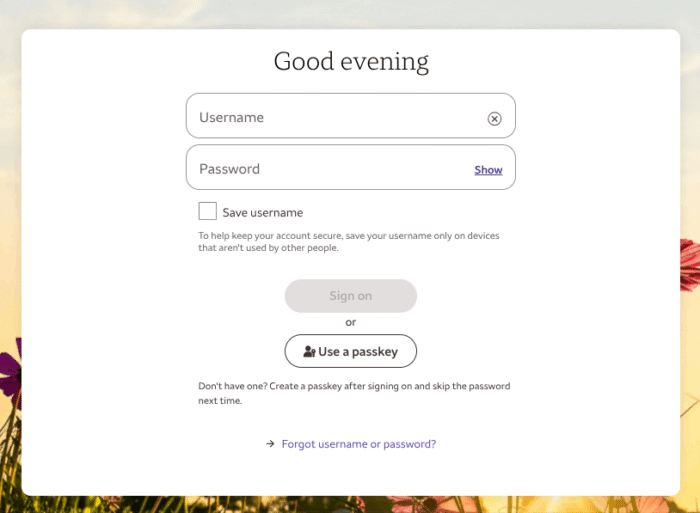
- Next, sign in using your Username and Password. Navigate to your credit card account, and click “Pay Bills.”
- From there, you choose three things: how much to pay, which account to pay from, and when the payment should go through. Payments made before midnight Pacific Time are credited to your account on the same day.
- That cutoff is worth knowing — if you’re racing against your due date, make sure you’re not pushing it past midnight on the West Coast.
- You can also schedule payments in advance if you’re on a trip and have no time to pay your bill.
Through The Mobile App
The app is basically the same as online banking, but it’s more convenient on the go. Just download the Android or iOS app, access your account, and you can manage your payment like a pro.
The notifications system is what sets it apart from other methods.
With that said, you can turn on alerts for due and overdue payments, and even for unusual activity.
Set Up Autopay
Do you forget dates a lot? Autopay is the best option for you. It’s not a backup plan — it’s genuinely the smartest way to manage a credit card if you carry a consistent income and want to protect your credit score without thinking about it every month.
You can set automatic payments to cover the minimum amount due, the full statement balance, or a specific dollar amount you choose.
Payments are automatically deducted from your deposit account on your due date, beginning after you receive confirmation on your statement.
A couple of things to keep in mind: make sure there’s enough money in the linked account before the payment date, because a returned payment comes with a fee.
Besides, if you’re only automating the minimum payment, you’ll still accrue interest on the remaining balance. Full-balance autopay is the cleanest option when your budget allows it.
You can change your payment due date by signing into the Credit Card Service Center and selecting “Change Your Payment Due Date” under Account Management — though dates between the 29th and 31st aren’t selectable.
That flexibility lets you align your due date with your paycheck, which makes autopay even more reliable.
By Phone
Sometimes you might face an Internet problem, so calling is the best option left. You can simply call 1-800-289-8004, and the automated payment system will handle everything. The whole process takes a few minutes.
So you just need to enter your payment details when prompted, and the payment is processed the same day if you’re calling before the daily cutoff.
However, in cases where you need to address an issue other than a payment issue, such as disputing a transaction or asking about your interest rate, this very number will connect you to a customer representative during working hours.
Through The ATM or the Branch
This one surprises some people. You don’t have to go digital if that’s not your thing.
The bank offers over 11,000 ATMs across the country, and one can pay their credit card bill through any ATM. One can use the Wells Fargo website to find the nearest branch and ATM.
You can also pay through a branch. Just walk into the branch during normal business hours, deposit your money, and the teller takes care of everything for you. If you want a human touch or if you have an issue with your account, you must go in person.
By Mail
Mail is time-consuming, but it works — and some people simply prefer it.
Write your credit card number on your check before sending it, and make sure to send it early enough to arrive by your due date.
Late arrival due to postal delays won’t earn you much sympathy for a late fee, so give it at least five to seven business days.
Your mailing address is on your monthly statement. If you’ve switched to paperless billing, you can find the address by logging into your account or calling customer service.
Anyway, cardholders can also send to this address:
Wells Fargo Card Services
P.O. Box 51193
Los Angeles, CA 90051-5493
How to Set Up Autopay for Wells Fargo Credit Card
Let’s walk through this one in a bit more detail since it saves the most time in the long run.
Step 1: Log in to Wells Fargo Online
Head over to wellsfargo.com and sign in. If you don’t have an account yet, the sign-up process is quick — you’ll need your Social Security Number or ITIN, along with your credentials.
Step 2: Navigate to Your Credit Card
From your account dashboard, select your credit card account. This takes you into the Credit Card Service Center.
Step 3: Find the Autopay option
Look under Account Management or the Payments section. The exact label may vary slightly based on your account type, but it’s straightforward to find once you’re inside the service center.
Step 4: Choose Your Payment Amount and Source
You can choose to pay the minimum payment, the full balance, or a custom amount. Then you can add your bank account to pull your balance from.
Step 5: Confirm and Save
Once all set, review everything, confirm, and you’re done. You’ll receive a notification on your statement once autopay is active. Now your payment will go out automatically on your due date.
Never Miss a Wells Fargo Credit Card Payment
Knowing how to pay is one thing. Actually paying on time, every time, is even more important
Turn on payment alerts. Whether you use email, text, or push notifications, set a reminder for a few days before your due date. That buffer gives you time to make sure your linked account has enough funds.
Don’t rely on memory alone. Your statement close date and due date are not the same thing — there’s usually a window of about 21 to 25 days between them. Knowing both dates matters.
Coping with financial stress? Contact the bank before missing a payment. Wells Fargo’s credit card hardship programs may offer options like lower interest rates, waived late fees, or reduced minimum payments for a limited period.
Joining a hardship or relief program doesn’t automatically affect your credit score. Calling early gives you more options than calling after you’ve already fallen behind.
Frequently Asked Questions
You can make a call at 1-800-289-8004 and connect to the automated system. It will guide you to pay off your card debt in a few minutes. Just keep your card details ready.
Yes. When scheduling payments through Wells Fargo Online, you can add bank accounts that are in your name from other U.S. financial institutions.
However, it is worth noting that it will take about 1-3 business days to verify the new account. So plan if you’re using this method close to your due date.
It usually takes one to five business days for payments to clear. However, if your bank account and your credit card are from Wells Fargo, the payment will clear instantly.
Online payments made before midnight PST are processed on the same day.
No. You can make a payment using credit or debit cards. You’ll need to use a bank account.
Don’t wait. If making your payment feels overwhelming, Wells Fargo offers assistance options through its credit card payment assistance program. You don’t have to wait until you miss a payment to ask for help.
Wrap Up
Making a Wells Fargo credit card payment doesn’t have to be complicated. You’ve got the app, the website, autopay, the phone line, ATMs, branches, and even the old-fashioned mail route. Each method works — it just comes down to which one fits your needs.
If you’re not using autopay yet, it’s worth spending two minutes setting it up today. Your credit score will quietly thank you every month you pay on time.
That’s all. Just be consistent and never skip a payment.