Accessing your Best Buy credit card account is simple once you know the right page.
You can use Citibank’s official website to check your balance, make payments, and view transaction history.
All you need to do is log in to your account to manage your card like a pro. It’s a straightforward process. Let’s go step by step.
How Do I Log In to My Best Buy Credit Card Account
There are two ways to access your Best Buy credit card account. One is Citi, the actual card issuer, and the other is Best Buy itself. So let’s go with the Citi portal because it handles everything.
Via CitiBank Service Portal
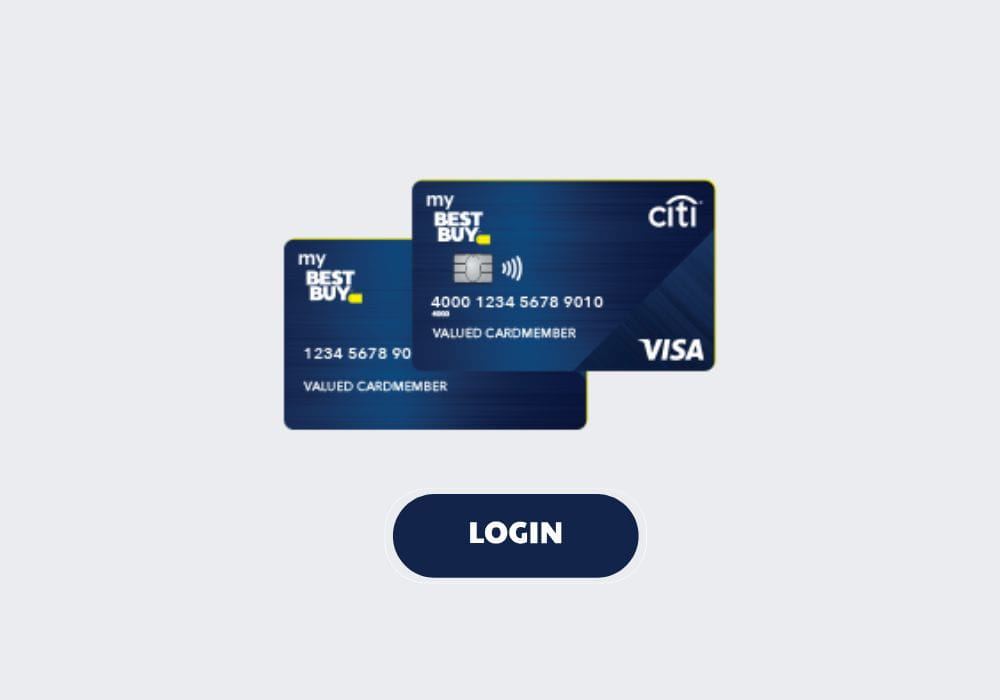
- Head to the Best Buy Credit Card login page managed by Citibank. Or you can search “Best Buy Credit Card login” on your browser, then land on the Citibank site.
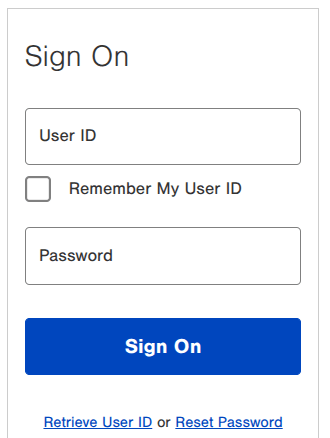
- Now you’ll see the Sign On boxes where you have to enter your User ID and Password that you created when you registered your account.
- Once you submit your credentials, tap Sign On.
- After login, you can pay bills, view statements, set up Autopay, redeem points, and more.
You might get a one-time code directly to your email when you access using a new device or browser.
Your password will be case-sensitive, so always enter the exact password that you’d created during registration.
Log in via BestBuy.com
You can also access your My Best Buy® Credit Card account through the Best Buy portal. So here’s how to do that.
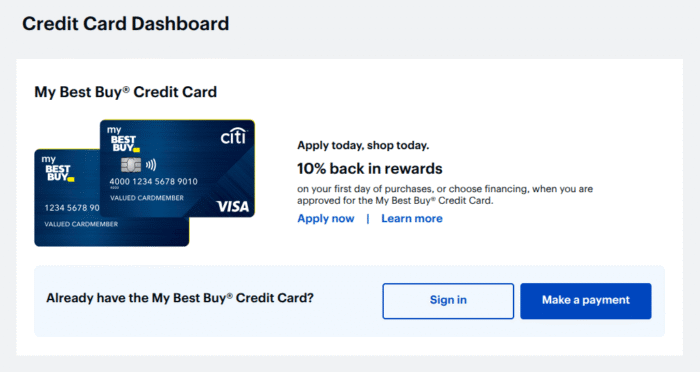
- Directly go to bestbuy.com/services/ccdashboard and click Sign in.
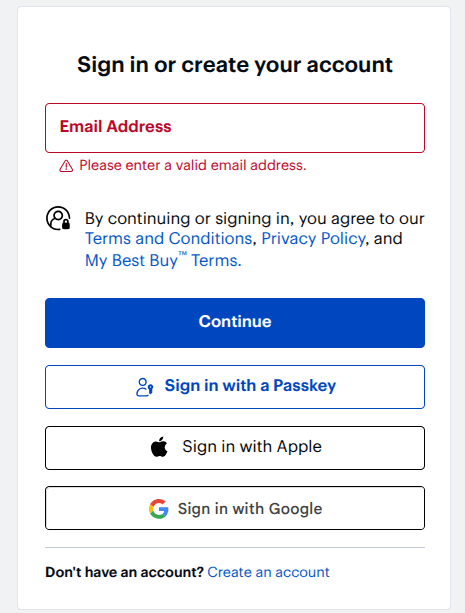
- Next up, enter your Email Address and hit Continue. Or you can sign in with a Passkey, Google, or Apple.
- Email not assigned? You can create a new account. However, logging with other options is simple.
Once you sign in successfully, you can make a Best Buy payment, manage autopay, see rewards, view history, and much more. However, most options will send you to the Citi Portal.
What Is the Best Buy Credit Card?
It’s a store-only credit card built to shop across the Best Buy locations or online. It comes with two versions: the store-only works at Best Buy, and the Visa card works anywhere Visa is accepted.
Unless you’re spending outside of Best Buy, the rewards card is all you want. However, both variants have the rewards program, but you can use the Visa variant at multiple retailers.
With the base tier, you earn 5% back on Best Buy purchases. If you spend about $3,500 per year, you move to Elite Plus status and get extra benefits.
On the other hand, the Visa version offers 3% back on gas and EV charging. Also, giving back 2% at restaurants and grocery stores, and 1% on other purchases. As a result, frequent use increases your total rewards over time.
As to the Fee, both cards show an APR ranging from 28.99% to 31.99%. Therefore, you should avoid carrying a balance for long, as interest charges may accrue and reduce your rewards.
So you must log in, review your spending, and pay on time. This helps you keep control of your account and protect your rewards.
How to Register If You Haven’t Set Up Online?
If you’re already a card member, follow the steps below to create your Best Buy online profile and manage your cards.
- Go to the Citibank Service Registration page. You can also search on your browser and visit the link from there. Make sure it’s the official website.
- Next up, submit your Best Buy credit card credentials in the boxes and hit Verify.
- After verification, you’ll receive a one-time password via mobile or email. Enter it to verify your identity.
- On the next screen, set up your online profile by creating your User ID and Password. That’s it. Now follow the instructions for successful registration.
Why Can’t I Access My Account?
There could be a host of reasons why you can’t access your account. So let’s explore all the major causes.
Wrong Website
You must use the official Citibak website to access your account. So, bookmark the page or search in your browser for a more updated page.
Forgotten User ID or Password
Forgot your User ID or password? It happens. However, you can get back in by using the recovery option on the login page; that said, it only takes a minute if your details are handy.
Account Locked
If you’ve locked your account by entering the wrong password or User ID multiple times, you can recover your account by resetting your password or contacting the Citibank customer service.
Outdated Information
If your phone number or email is outdated, you won’t receive the verification code during two-step authentication. Since the code is required to log in—and you need access to update your details—this can leave you stuck. In most cases, the only way to fix it is by contacting Citibank customer service.
Browser or App Issues
Your browser or apps can throw an error if you haven’t cleared your cache in a while. Cache can slow down your device and cause a few technical glitches. Also consider updating or reinstalling the app.
Account Suspended
Nothing can move the needle if your account is suspended. It may happen due to missed dues, inactivity, or flagged activity. In such a case, you can reach out to Citibank and get your issue resolved.
Frequently Asked Questions (FAQs)
Yes, the Best Buy app is available for rewards and shopping. However, to pay bills, set up autopay, and more, download the Citi Mobile app from your supported store (iOS or Android) and access your account using your Citibank credentials.
Unfortunately, Best Buy doesn’t manage your billing, so you can’t pay bills via its app. But you can manage rewards and shopping via the Best Buy app. And use the Citibank portal or app to pay bills and more.
You may lose all your reward points assigned to your credit card after closing the account. So, you must redeem all the points before the account closure.
Yes, it lets you add an authorized user from your account dashboard. Just head to the account settings, find the “Add authorized user” option, and enter their name and date of birth to get started.
Wrapping Up
If you got the card, then it’s a no-brainer to log in to your Best Buy credit card account.
To manage everything from bills to setting up Autopay, you must access the CitiBank service portal. Since Citibank issues such cards, it will be much easier for you to manage your card via its portal.
However, you can also access via the Best Buy account, but it’s limited to rewards and shopping.
So, just create your Citibank account and add your cards to get started.
If you encounter any login issues, reset your password using your card’s credentials.
Also, ensure that your account is not locked due to too many failed attempts. Anyway, Citibank support can resolve most of your issues in no time.