Got an Apple Gift Card sitting in your drawer and no idea what’s left on it? You’re not alone. Apple doesn’t make this as simple as scanning a barcode at checkout, and the process changes depending on whether you’ve already redeemed the card or not.
Here’s every method that works, plus what to do when none of them show you a number.
First, Figure Out What Kind of Card You Have
Apple sells two different things under similar names, and mixing them up wastes time.
An App Store & iTunes Gift Card (or the newer “Apple Gift Card”) loads money into your Apple Account. Once you redeem it, the balance lives on your account, not the card.
An Apple Store Gift Card — the kind bought for hardware, like a MacBook or AirPods — works differently. It has its own balance checker, separate from your Apple Account.
Knowing which one you’re holding decides which method below actually applies to you.
How to Check Your Apple Gift Card Balance
You can check your balance using the website, app, phone, or in-store. I’ve piled up a few methods below to help you find the one you need.
Through the App Store App
Already redeemed the card at some point and just want to know what’s left? Skip the redeem screen entirely.
- Open the App Store app.
- Tap your photo, initials, or the sign-in button in the top corner.
- If you have a balance, it shows up right there under your name and email. No balance listed means there’s nothing to show.
Some regions also let you see this in the Wallet app on iPhone, if your Apple Account Card is added there. It’s the same number, just a different screen.
Use Apple’s Website
If your card was bought for a Mac, iPad, or other hardware purchase, Apple runs a dedicated balance page for it:
- Head over to https://secure.store.apple.com/shop/giftcard/balance.
- Sign in to your Apple account. It may send a verification code if you’re accessing it from a different device.
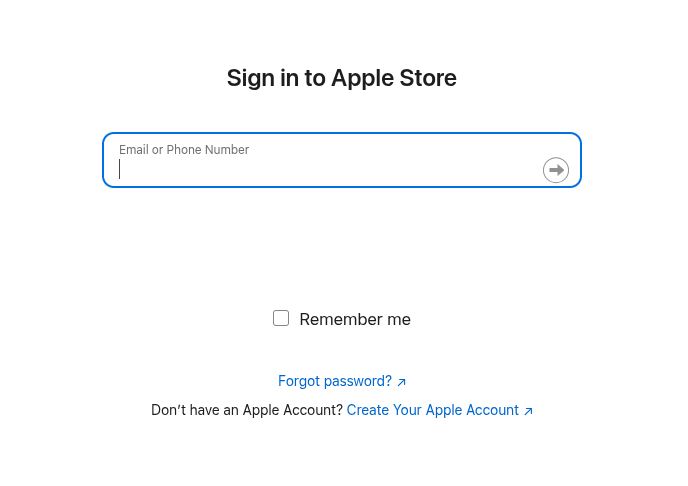
- Already logged in? Enter the card number and PIN, and it pulls the current balance right on the page.
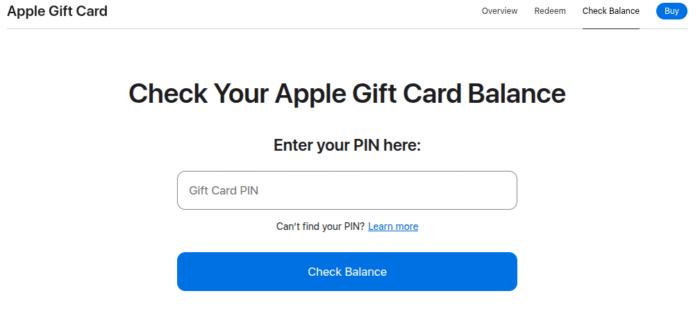
It’s worth noting that this one won’t work for App Store & iTunes cards — those only show up after redemption, as covered above.
Via Apple Account Balance Directly
If the card’s already been redeemed, you don’t need the card itself anymore.
Sign in at appleid.apple.com or open Settings on your device, tap your name at the top, and look for “Media & Purchases” or your Apple Account balance. Whatever’s left shows up there, ready to use on your next purchase.
Call Apple Support
Prefer talking to a real person? Call 1-800-MY-APPLE (1-800-692-7753) and ask a representative to check the balance for you.
Have the 16-digit code from the back of the card ready, but never read it out loud to anyone who calls you first — more on that below.
Ask at an Apple Store
Walk into any Apple Store and a team member at the Genius Bar or on the floor can look up the balance for you on the spot.
This is a solid option if you’re not confident redeeming it yourself or if the card isn’t scanning properly.
What to Do If Something Looks Wrong
Card Shows as Already Redeemed
If a brand-new card comes back “already redeemed” when you try to check or use it, don’t panic and don’t toss the receipt. Contact Apple gift card support directly, mention it’s a fresh card showing as redeemed, and keep your proof of purchase handy.
If you bought it from a reseller rather than an official retailer, loop them in too, since pre-drained codes are a known risk with unofficial sellers.
Region Mismatch
Bought a card while traveling, or gifted one from another country? A US-issued card simply won’t redeem on a UK, German, or other non-US Apple Account, and there’s no way to convert it across regions.
Apple also requires your balance to hit zero before you can switch your account’s country, so an unspent international balance can jam that process up entirely.
Balance Won’t Show for an Old iTunes Card
App Store & iTunes Gift Cards, the older style, don’t offer a peek-before-you-redeem option. The only way to find out what’s on one is to redeem it into your Apple Account.
If you’re worried it might already be used, that’s when a call to Apple Support with the card details is worth the few minutes it takes.
You Suspect a Scam
If someone calls, texts, or emails asking you to read them the code off the back of an Apple Gift Card, hang up or stop responding immediately. That’s a classic gift card scam, and once those digits are shared, the funds are usually drained within minutes.
Apple Gift Cards can only be spent on Apple’s own services and products, never as payment to a government office, utility company, or “tech support” line, no matter what anyone tells you.
Lost or Stolen Card
If the physical card goes missing before you’ve redeemed it, contact Apple Support right away with whatever details you still have, like the receipt or a partial card number.
Recovery isn’t guaranteed once a code is out in the world, so speed matters here.
Wrapping Up
The method you need really comes down to the card type and whether you’ve redeemed it yet.
For an App Store & iTunes Gift Card, redeem it through the App Store app and your balance shows immediately.
For an Apple Store hardware card, use Apple’s dedicated balance-check page.
And if the code’s unreadable or something’s not adding up, a call to 1-800-MY-APPLE clears it up faster than digging through settings menus.
Frequently Asked Questions
Not for App Store & iTunes cards — redeeming is how the balance transfers to your account and becomes visible. Apple Store hardware gift cards are the exception, since those have their own online balance checker.
No. Apple Gift Cards and Apple Account balances don’t have an expiration date in the US.
Generally no — Apple Gift Cards and Apple Account balances aren’t redeemable for cash, except where local law requires it. If your balance is stuck and you can’t spend it, contact Apple Support directly.
You’ll get an error saying the code has already been redeemed. If you’re confident the card was never used before, contact Apple Support with your receipt so they can investigate.
Yes. Redeem both, and the amounts add together in your single Apple Account balance.